
Mobile App Sales Training
Learn how to sell with the best.
Welcome to the World of online marketing where you can help small businesses get more customers and keep the ones that they already have. This page was created to house a nine part detailed sales training program designed for anyone who is wanting to learn how to sell Mobile Apps to Small Businesses.
We have used these tools and techniques to sell Chatbots to Small Businesses and now it is your turn to learn these tips, tricks and techniques that will help you to earn thousands of dollars in sales commissions!
These videos are here for you to watch again and again as you learn the basics. Then, come back again in the future to freshen up your skills whenever you feel the need.
8 Step Training Overview
- Setting Appointments
- Pre Presentation
- Sales Presentation
- Handling Objectives
- Progressive Web Apps
- Read Your Resources
- Setup & Review Your Tools
- Review Tools For Clients
- Bonus Training
App Sales Workflow
- Complete our training and learn how to present app value and negotiate the closing.
- Make your list of businesses nearby.
- Prospect business to business and schedule free demos.
- Submit demo request on our website.
- Take screenshots and customize your powerpoint presentation.
- Listen, Present solution, Negotiate, Close.
- Submit App Order
- Complete App Funding
- Repeat
Setting Appointments
This is where we teach you to set the table by setting up meetings with decision makers from your local businesses.
Pre Presentation
We teach you to have an initial conversation about how they advertise. Good ammo for later in the appointment.
Sales Presentation
Let them tell you there problems before you provide solutions. Learn how to sell Mobile Apps to Businesses!
Handling Objections
Go toe to toe with business owners answering questions and concerns that they have in order to close the sale!
1. Setting Appointments
2. Pre-Presentation
3. Sales Presentation
(Watch this video then download and read your pitch deck.)
DOWNLOAD MY PRESENTATION
Each pitch deck needs to be customized per client with client titles, google my business, and social media screenshots.
4. Handling Rebuttals & Closing Sales
5. Progressive Web Apps
Watch All 5 Videos Before Exploring Your Resources
6. Your Resources
(Download and read all resources.)
Commission Structure
Review how your commissions are structured.
Sales Rep Contract
This is the Independent Contractor Agreement that all of our sales reps sign. We look forward to a mutually beneficial relationship.
Free Demo Script
Use this document to schedule your next app demo. Submit all app demo requests here:
Emails & Calls
Learn how to get appointments with cold emails and warm phone calls.
(Prospecting)
Flyer
Each business you visit should recieve a mobile app flyer.
This will be customized with your info and sent to you.
(Prospecting)
Business Card
Each interested business owner should recieve a business card.
This will be customized with your info and sent to you.
(Prospecting)
Finding The Decision Makers
Learn how to personalize your sales efforts, get gatekeepers to help you, and get in front of decision makers.
#1 Tool
Pitch Deck
Put the sales pitch on your iPad, laptop or print it out and place it in a binder. Now it is time to go out and share it with the world. Always be closing!
How To Pitch Apps
Quick sales tips, Strategy Discussion, Opening the Conversation, Digital Marketing Assessment, Sales Presentation, Questions & Answers.
Selling To SMB's
6 Things we focus on when selling you small business owners.
Reputation Management for SMB's
Learn how businesses can improve and influence their online reputations with our URL Apps.
Review Our Features
You must know the ins and outs of your product in order to master your sales presentations.
(Appointment Doc #1) Closing Doc
The goal of every presentation is to make a sale. The path to that sale is this document. When your customer says money is the problem... use this!
(Appointment Doc #2)
Proposal
Use this document to sign up your next customer. An all in one document helps to save a tree and reduce unnecessary paperwork.
(Appointment Doc #3)
Credit Card Form
Use this form to collect payment information.
(Appointment Doc #4)
App Order Form
Fill this order form out after closing all app sales. Take the form and submit it here:
After The Sale
Your post sale strategy is the most important, set your clients up for success by doing your part. We will take over from there.
Sales Stats You Need To Understand
Understanding the app sales environment is key to your success. Your success is buried in your effort to follow up with your prospects.
Previewing Demos
Review our demo videos and gallery. Learn how to preview demos while in front of clients.
(Prospecting)
Info Graphics
Followup and send quick information to prospects.
7. Setup & Review Your Tools
Demo Submission Page - All your free demo request will be submitted on this page.
Final App Request Page
- After the sale submit your app orders here.
Gmail
- Create a new gmail account to followup with potential leads. Format url(name)@gmail.com (We create your company email after 2 sales.)
Calendly.com
- Schedule your appointments and available times through email or in the field with calendly.
Google Voice
- Set up a second phone number free using google voice for your marketing materials.
Jing screen capture - Use this tool to customize your PowerPoint presentations for each client
Join.me
- Call your prospect, get them in front of a computer, share your screen and present our solution using this free screen share tool.
https://youtu.be/tyAEw10E58s
show this 1 minute video during presentation to clients who need reviews.
App Deposit
- Use this page to submit app deposits.
8. Review Your Business Tools
Download our Preview App Tool - http://previewyourapp.com/
(All demos will have a link provided for you to visit and review with clients anywhere. ex: https://login.urlappdesign.com/m/hardex/ )
Client Management Login - https://login.urlappdesign.com/login
(Clients will be assigned login and passwords to manage their apps.)
Skipper - http://www.skipperapp.io The skipper app lets business owners and staff manage the app right on there phones or ipads.
Client Tutorial Videos - https://www.youtube.com/playlist?list=PL8LNlfMCwDWxQrOZGZetEYg4_LkP5HeJq
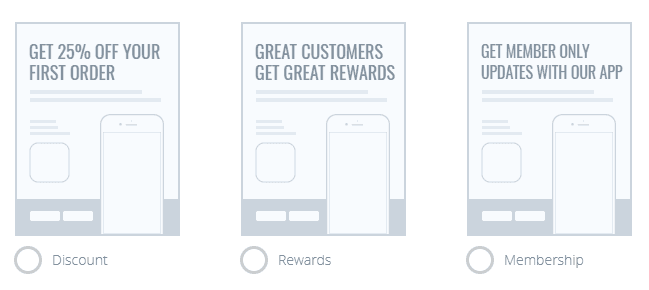
View Marketing Poster Below
Prospecting Strategy
Door-to-Door (Most Effective)
Make a list of 3 industries that you want to focus on.
Add 10 to 20 business names per category
When you go to visit each of those businesses leave business card and flyer, then go next door. Go to all nearby businesses in that area. This means that for every one of the businesses that you put on the original list, you will go to 20 businesses. So by making a list of 30 to 60 businesses, you actually see a total of 600 to 1200 businesses. By walking through so many doors, you are bound to find 2 to 4 vertical markets where you have traction, contacts and momentum.
Networking Events
Meetup.com events allow you to prospect 10+ businesses at once. Download the meetup app and target local business owner groups like social media, website, and marketing groups.
Food truck invasions are another example of events for you to prospect 10+ businesses at once.
Email + Call From Home
Learn our calls and emails strategy and you can prospect businesses from home. We have reps who target businesses on social media linking them to a similar businesses app example and leaving information for them to call and/or request a free demo.
These sales can be made at home via screenshare appointment with our powerpoint presentation.
Rep Onboarding
Rep Onboarding9. Bonus Training
(Watch these bonus videos after your first day walking into businesses.)